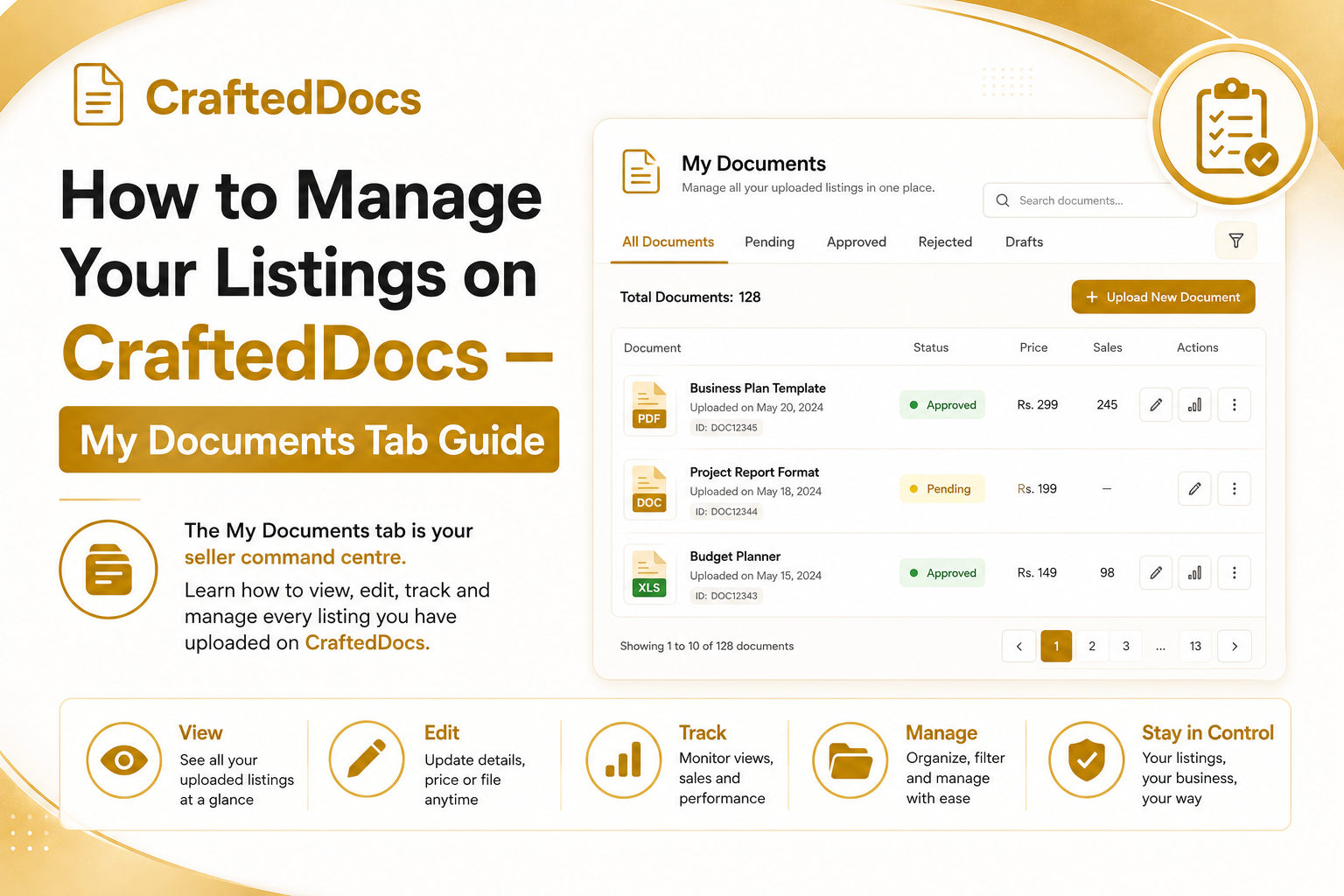
What is the My Documents Tab?
The My Documents tab is the first place you should go after logging into your seller dashboard on CraftedDocs. It shows every file you have uploaded — approved, pending, featured or rejected — in a single table so you can manage everything from one screen.
To access it: log in to CraftedDocs → click Dashboard in the top navigation → click the My Documents tab in the left sidebar.
What You Can See in My Documents
Each row in the table shows you the following information for one listing:
- Title — the name of your listing as it appears on the marketplace
- Price — the listed price in Rupees
- Status — Pending, Approved, Featured or Rejected
- Views — how many buyers have visited your product page
- Sales — total number of times this file has been purchased
- Conversion Rate — percentage of views that turned into sales (colour coded: green above 5%, amber above 2%, grey below 2%)
- Earned — total revenue earned from this listing (your 80% share)
Document Status Explained
Every document you upload goes through a review process. Here is what each status means:
- Pending — your file has been uploaded and is waiting for our team to review it. This usually takes 24 hours.
- Approved — your listing is live on the marketplace. Buyers can find and purchase it.
- Featured — your listing has been selected for extra promotion on the homepage and search results.
- Rejected — your file did not meet our quality standards. You will see a reason in the admin note. Fix the issue and re-upload.
How to Edit a Listing
Click the Edit button on any listing in your My Documents table. This takes you to the edit form where you can:
- Update the title, description and price
- Upload a new cover image
- Upload or replace the free preview file
- Add gallery images
- Change the category and subject
- Set a sale price
After making your changes, click Save Changes. Approved listings will update immediately without going back to pending review (minor changes only).
Improving Your Conversion Rate
The conversion rate column is one of the most important numbers to track. If your listing gets lots of views but few sales, here are the most effective fixes:
- Upload a free preview file — buyers who can try before they buy convert at a much higher rate
- Improve your cover image — a clean, professional thumbnail stands out in the marketplace grid
- Write a more detailed description — tell buyers exactly what they get, how many pages, what topics are covered
- Add gallery images — show screenshots of the actual content inside the file
- Lower your price slightly or add a sale price to test price sensitivity
What Happens When a File is Rejected?
If your listing is rejected, do not panic. Read the rejection reason carefully in your dashboard. Common reasons include:
- File is empty, corrupt or password protected
- Title or description does not match the actual file content
- Content quality too low (blurry scans, incomplete notes)
- Copyright issues
Fix the issue, delete the rejected listing and re-upload the corrected version. Most sellers get approved on their second attempt once they understand our quality standards.
Tips for Getting Featured
Featured listings get 3-5x more visibility. Our team selects featured listings based on quality, completeness, good reviews and strong sales. To improve your chances:
- Upload complete, well-formatted files (not rushed or incomplete)
- Include a free preview that genuinely shows the quality inside
- Price fairly for the Indian market
- Respond to any buyer messages promptly
- Get genuine reviews from buyers
Ready to upload your first listing? Start selling on CraftedDocs here.