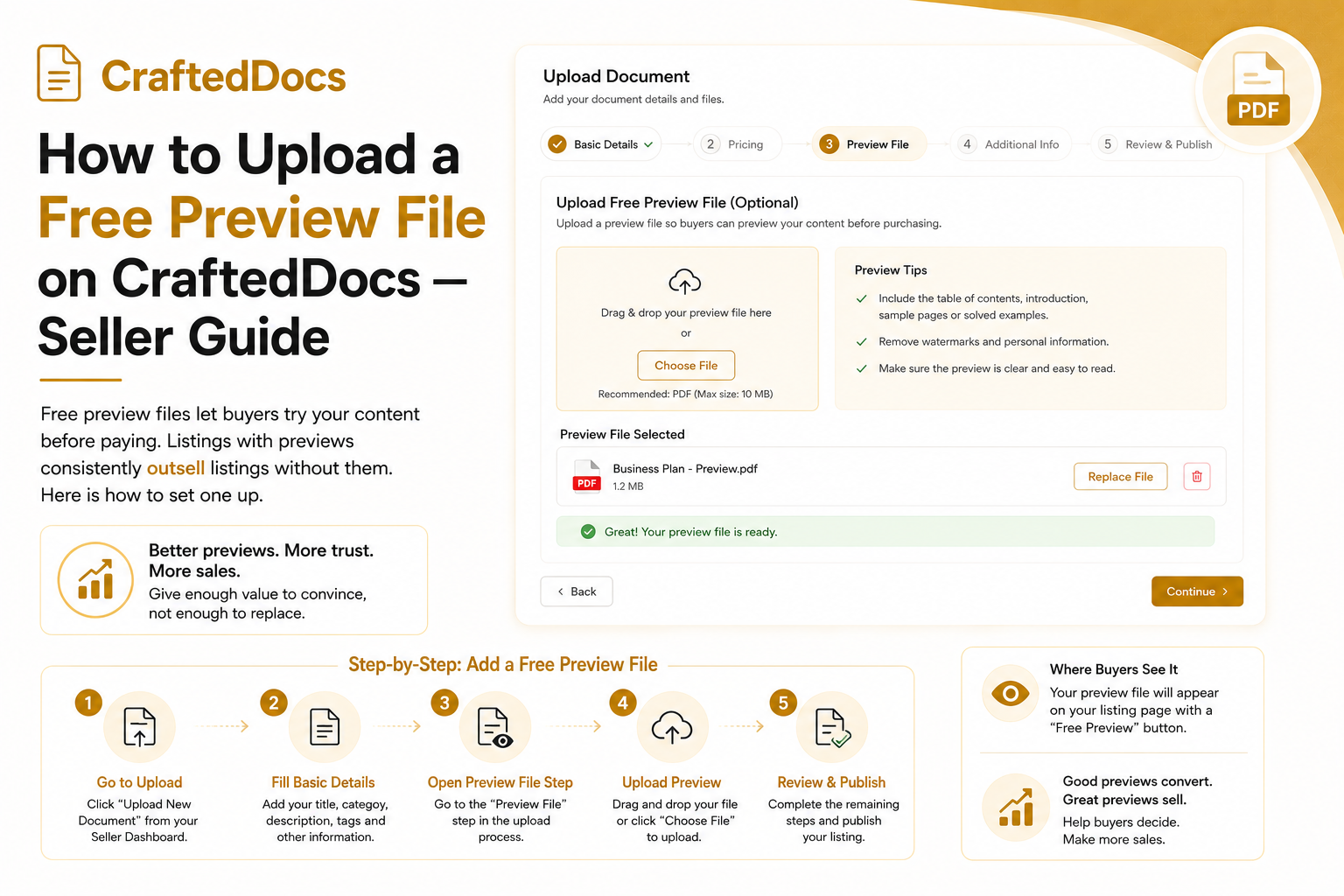
What is a Free Preview File?
A free preview file is a sample version of your paid listing that buyers can download for free — with no login, no account and no payment required. It could be the first few pages of a PDF, a watermarked image, a partial template or a trimmed version of your spreadsheet.
When your listing has a preview, a green "Free Preview" button appears on your product page showing the total number of preview downloads. Buyers can try the content before committing to buy.
Why Preview Files Dramatically Increase Sales
Buyers are more cautious when purchasing digital files than physical products because they cannot return them easily. A free preview removes this hesitation completely.
Listings with preview files on CraftedDocs see significantly higher conversion rates than listings without. A buyer who downloads your preview and finds it useful is highly likely to purchase the full version immediately after.
The preview download count is also a social proof signal — if 500 people have downloaded the preview, new buyers see this as a trust indicator.
What to Include in Your Preview File
Your preview should be a genuine sample — enough to show quality but not enough to replace the full purchase:
- PDF notes — first 3-5 pages of a 30-page document
- Templates (DOCX/PPTX) — one or two sample slides or pages with watermark
- Spreadsheets (XLSX) — one sheet with formulas visible but key data obscured
- Images — a watermarked or lower-resolution version
- ZIP packs — 1-2 files from a pack of 10
Do not make the preview too complete — if it gives everything away, buyers have no reason to purchase the full version.
How to Upload a Preview When Creating a New Listing
- Go to crafteddocs.com/sell
- Fill in your listing details as normal
- Scroll to the green "Free Preview File" section
- Click the file input and select your preview file
- Supported formats: PDF, DOCX, DOC, PPTX, PPT, XLSX, XLS, JPG, PNG, WebP, ZIP
- Maximum size: 8 MB
- Complete the rest of the form and submit
How to Add or Update a Preview on an Existing Listing
- Go to Dashboard → My Documents
- Click Edit on the listing you want to update
- Scroll to the green "Free Preview File" section
- If a preview already exists, you will see the current preview status with its download count and a "Test preview" link to verify it works
- To replace it: upload a new file using the file input below
- To remove it: check the "Remove preview" checkbox and save
- Click Save Changes
How Buyers Access Your Preview
On your product page, buyers see a green "Free Preview" button. Clicking it immediately downloads the preview file with no login required. The file downloads as "Preview_YourTitle.pdf" (or whichever format you uploaded).
Every preview download increments the counter shown on the button. You can see the total preview download count for each listing in your dashboard edit form.
Preview File Rules and Limits
- Maximum file size: 8 MB
- Supported formats: PDF, DOCX, DOC, PPTX, PPT, XLSX, XLS, JPG, PNG, WebP, ZIP
- Preview files are stored separately from your paid files — buyers cannot access the paid version through the preview route
- Preview files are public (no login required) — do not upload anything you do not want publicly accessible
- One preview per listing maximum
Tips for a Great Preview
- Add a visible watermark with "crafteddocs.com" or your seller name so people know where to buy the full version
- End the preview mid-section so buyers feel genuinely hooked and want to see how it continues
- Include your best content in the preview — if the preview is weak, it will put buyers off rather than attracting them
- Mention in your listing description that a free preview is available to encourage buyers to check it before purchasing
Add a preview to your best listing today — go to My Documents and click Edit.